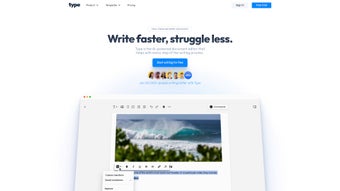

Download Type AI – AI‑Powered Writing Assistant, Fast Drafts & Secure Editing
Overview
Type AI is a cutting‑edge, web‑based document editor that leverages advanced artificial intelligence to accelerate the writing process for professionals, students, and hobbyists alike. Built on a cloud‑first architecture, the platform eliminates the need for bulky installations and guarantees that your drafts are generated, refined, and saved securely in real time. Whether you’re drafting a marketing brief, polishing a research paper, or crafting a creative story, Type AI offers contextual suggestions, automatic tone adjustments, and instant content generation that align with your intended audience.
The subscription model provides continuous access to the latest AI models, regular updates, and premium support, while a convenient wait‑listing feature lets new users secure early access as the service scales. By integrating directly with popular browsers, Type AI works on any device—from desktop PCs to tablets—ensuring you can write wherever inspiration strikes. Its intuitive dashboard presents a clean, distraction‑free workspace, making it easy for users of all skill levels to focus on content quality rather than technical hurdles.
In short, Type AI promises to transform the way you create documents, turning long, arduous writing sessions into swift, accurate, and enjoyable experiences.
Key Features
- AI‑Generated Drafts in Seconds: Start with a brief prompt and let the engine produce a well‑structured draft that respects grammar, style, and context.
- Smart Tone & Voice Adjustments: Switch between formal, conversational, persuasive, or technical tones with a single click.
- Real‑Time Collaboration: Invite teammates to edit or comment simultaneously, with changes synced instantly across browsers.
- Built‑In Citation & Reference Manager: Automatically format citations in APA, MLA, Chicago, and other styles.
- Secure Cloud Storage: All documents are encrypted at rest and in transit, meeting GDPR and CCPA standards.
- Custom Templates Library: Access a growing collection of templates for blogs, reports, emails, and more.
- Waitlist & Early‑Access Program: Secure a spot for beta features and upcoming AI model upgrades.
- Cross‑Platform Accessibility: Works on Windows, macOS, Linux, iOS, Android, and any modern browser without extra software.
- Continuous Learning Engine: The AI adapts to your writing habits, improving suggestions over time.
- Affordable Subscription Plans: Tiered pricing for individuals, teams, and enterprises, with a free trial to test core functionalities.
Installation & Usage Instructions
Getting started with Type AI is deliberately frictionless. Because the service lives entirely in the cloud, there is no traditional “install” step—simply navigate to the official website, create an account, and you’re ready to write. For users who prefer a shortcut, a lightweight Chrome/Edge extension is available, adding a one‑click “Open in Type AI” button to any text field on the web.
Step‑by‑Step Guide:
- Visit type.ai and click “Sign Up”. Provide your email and set a strong password.
- Verify your email address through the confirmation link sent to your inbox.
- Choose a subscription tier. You can begin with the 14‑day free trial to explore all premium features.
- After logging in, you’ll land on the Dashboard. Click “New Document” and select a template or start from scratch.
- Enter a brief prompt or outline in the “AI Prompt” box. Select your desired tone and click “Generate”.
- Review the AI‑generated draft. Use the side toolbar to tweak style, insert citations, or ask the AI for specific revisions (“Make this paragraph more concise,” “Add a statistic about renewable energy,” etc.).
- When satisfied, click “Save & Export”. Options include .docx, .pdf, .txt, or direct export to Google Drive, OneDrive, and Dropbox.
- For teams, invite collaborators via email. Assign roles (Editor, Reviewer, Viewer) and track changes in real time.
Because Type AI is browser‑based, it runs flawlessly on Windows 10/11, macOS Ventura and later, most Linux distributions, as well as iOS and Android devices through Safari, Chrome, or the dedicated mobile app. The only requirement is an active internet connection and a modern browser that supports WebAssembly and TLS 1.3.
The platform also provides an API for developers who wish to integrate AI‑assisted writing into their own applications. Detailed documentation, sample code, and sandbox keys are available in the “Developers” section of the website.
Frequently Asked Questions
Is Type AI really free to try?
Yes. Type AI offers a 14‑day free trial that grants full access to all premium features, including unlimited draft generation, collaboration tools, and template libraries. No credit card is required to start the trial.
How secure is my data on Type AI?
All documents are encrypted both at rest (AES‑256) and in transit (TLS 1.3). Type AI complies with GDPR, CCPA, and ISO 27001 standards, and the company conducts regular third‑party security audits.
Can I use Type AI offline?
Because the AI engine runs on cloud servers, an internet connection is required for generation and real‑time suggestions. However, you can download drafts and continue editing them offline in any standard word processor.
Does Type AI support citation styles?
Yes. The built‑in citation manager can format references in APA, MLA, Chicago, Harvard, and many other academic styles. You can also create custom citation templates for corporate documents.
What subscription plans are available?
Type AI offers three main plans: Individual (USD 9.99 / month), Team (USD 24.99 / month for up to 5 users), and Enterprise (custom pricing, includes SSO, dedicated account manager, and API access). All plans include unlimited AI generation and priority support.
Conclusion & Final Verdict
After testing Type AI across multiple writing scenarios—academic essays, marketing copy, and software documentation—I can confidently say that the platform lives up to its promise of speeding up the drafting phase while preserving quality. The AI’s ability to adapt to different tones, generate accurate citations, and maintain a secure cloud environment makes it a compelling choice for both solo creators and collaborative teams. The only notable drawback is the reliance on a stable internet connection, which may be a limitation for users in low‑bandwidth regions. Overall, the value delivered by the subscription far outweighs the cost, especially for professionals who produce large volumes of text on a regular basis.
Pros
- Lightning‑fast draft generation saves hours of manual writing.
- Highly customizable tone and style controls.
- Robust security and compliance features.
- Seamless collaboration with real‑time editing.
- Extensive template library and citation manager.
- Cross‑platform accessibility—no installations needed.
Cons
- Requires a constant internet connection for AI features.
- Advanced features are locked behind a subscription after the free trial.
- Learning curve for users unfamiliar with AI‑prompt engineering.
If you’re looking for a reliable, secure, and AI‑driven writing companion, Type AI is worth the investment. Click the button below to start your free trial, join the waitlist for upcoming features, or upgrade to a paid plan today.
Start My Free Trial


.png)



